
(and How to Fix Them)
SEO is like the Wild West – everyone has their own strategy, but no one really seems to know who's in charge.
The mistakes I see small business owners make when using SEO? Are almost always the same five mistakes.
Small, easy-to-miss, and the reason your pages aren’t showing up.
You're probably wondering: "Should I hire an agency? Should I do it myself? Is this even worth it?"
You know your business is valuable, your offers are solid, and your website looks good enough. But somehow, the right people still aren't finding you on Google.
Your SEO isn't broken. Your approach to it just needs a few adjustments.
It's those same few things keeping your pages from being understood, ranked, and clicked — here's what they are and how to fix them without starting from scratch.
Mistake 1: Choosing Keywords Nobody Is Searching For
You know your business better than anyone, which means the words you use to describe it aren't always the words your ideal client is typing into Google. "Sacred Energy Healing Retreat" makes sense to you. "Women's healing retreat" is what she's actually searching.
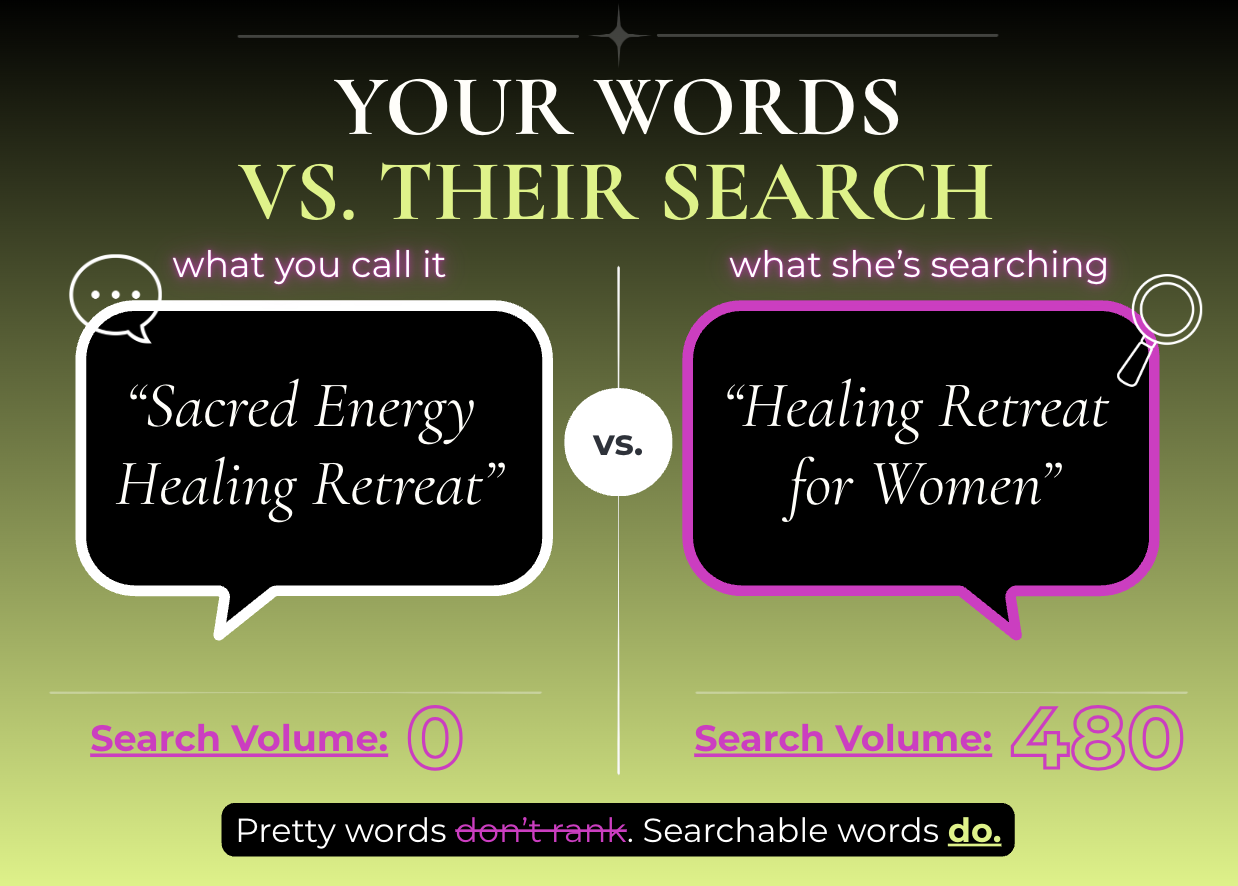
ex.) A phrase like "Sacred Energy Healing Retreat" may have little to no search volume, while a clearer phrase like "healing retreats for women" may have hundreds of monthly searches.


That's not a small gap. That's the difference between a page nobody sees and a page that actually gets found.
Before you build a page around a keyword, check whether anyone is searching it. A page optimized for a phrase with no volume is a page nobody finds, no matter how well it's written.
THE FIX: Do Research with a Free Keyword Planner Tool.
Using Google's Free Keyword Planner (found inside Google Ads) or Keyword.io, you can confirm whether or not real people are typing that phrase into the search bar before you build a page around it.
Mistake 2: Going Too Broad With SEO Keywords
It's tempting to go after the biggest, most obvious phrases like "best yoga classes near me."
But guess who else is trying to show up for that kind of phrase? Every yoga studio, directory, and well-established local competitor in your area.
Your best bet? Go niche, go specific, get granular.
THE FIX: Go Niche, Go Specific. Add your Location or Modality.
Even something like "best beginner yoga classes in Austin" gives you a fairer chance at competing in the space.
It's a smaller pool of searchers, sure, but it's a pool made up of people who already know what they want, in the place you actually serve.
Mistake 3: Trying to Rank One Page for Too Many Keywords
I see this one constantly. A single service page trying to rank for five different keywords at once, all crammed into the same title, the same intro, the same headers, because it feels like covering more ground.
Here's the problem: Google can't tell what a page is actually about when it's fighting itself for attention.
Instead of ranking well for one clear topic, the page ends up ranking for none of them.
This is called keyword cannibalization,and it's one of the fastest ways to quietly sabotage a page you worked hard on.
This is one of those SEO mistakes small business owners make because they're trying to cover every possible search term instead of giving each page one clear job.
ex.) If your homepage, your about page, and a blog post are all trying to rank for the same phrase, you're not tripling your chances. You're splitting your own authority three ways.
THE FIX: One primary keyword per page.
Two to three supporting phrases if they fit naturally.
If you've got more ground to cover, that's your sign to build a second page instead of overloading the first one.
Mistake 4: Skipping Basic On-Page SEO Placements
Google reads specific parts of your page to figure out what it's about: the H1 heading, the opening paragraph, the URL, the meta description, and your image alt text.
If your keyword doesn't show up in those five spots, you're making Google guess, and Google doesn't reward guesswork.
This is the part people skip because it feels technical. It isn't. It's five spots on a page you already built.
Your H1: should say plainly what the page is about.Your H1 lives in your text formatting settings. It’s not just pretty – it serves a distinct purpose.
Your opening paragraph: needs to confirm the topic in the first sentence or two instead of easing in with a warm welcome. (Appears immediately underneath your H1)
Your page URL: should reflect the topic in plain words instead of a string of numbers or symbols. This is found in the Page Settings when you’re creating your webpage.
Your SEO title and meta description: what actually appears in the Google Search Results Page (SERP) when someone comes across your page.
Alt text: Every meaningful image should have alt text describing what's actually shown, with your keyword worked in only when it genuinely fits. This also appears the Page Settings but under the SEO tab.
THE FIX: Check That your keyword appears in each of the 5 components.
Open your highest-priority page right now (most likely your Homepage or Services page).
Check that your keyword lives in the H1, the first sentence or two, the URL, the meta description, and at least one image's alt text.
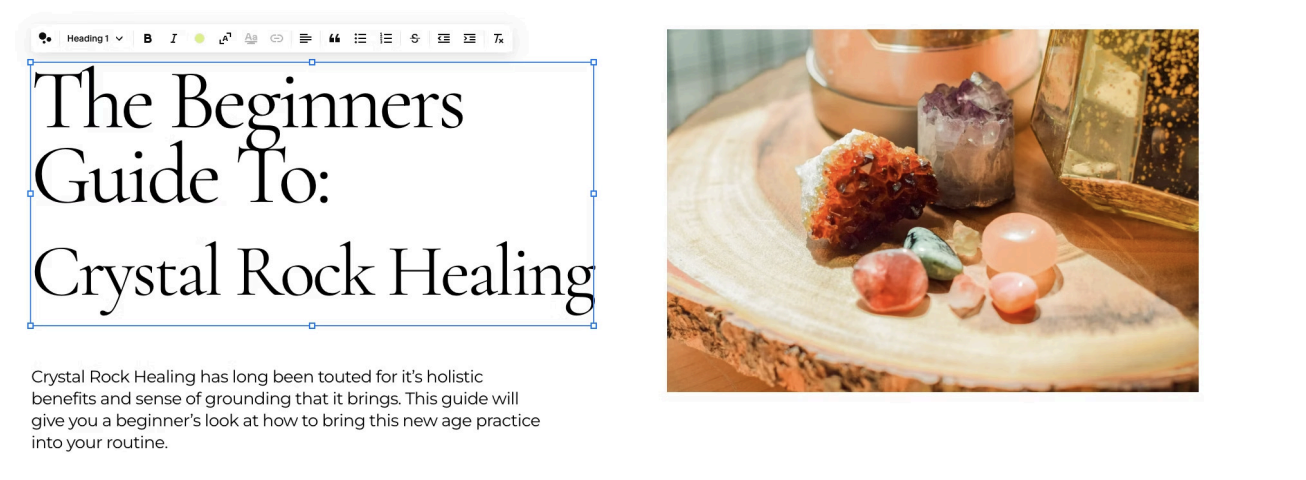
In this example my H1 is “The Beginner’s Guide to Crystal Rock Healing”.
My target keyword is : “Crystal Rock Healing” also appearing in the intro paragraph right underneath.
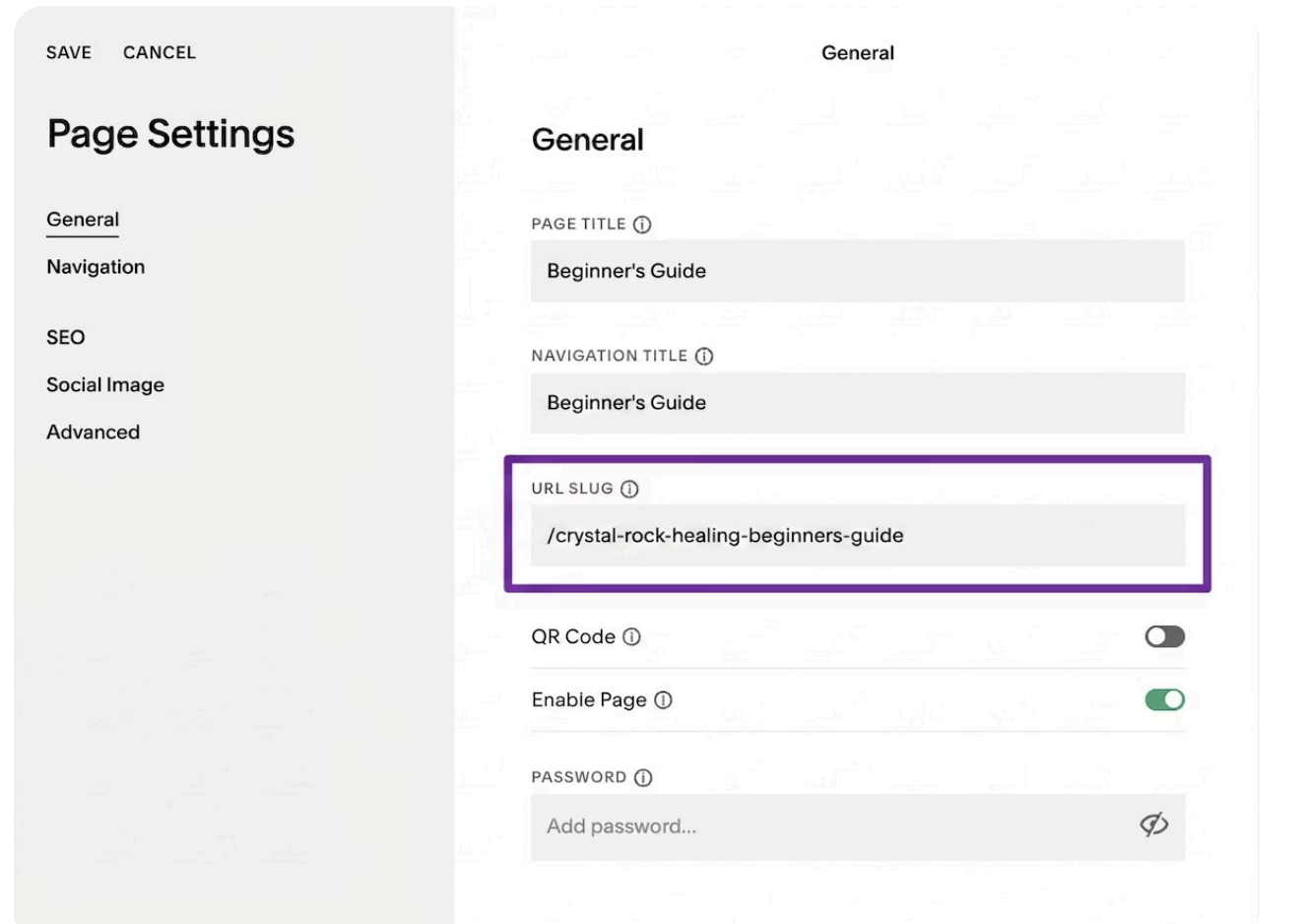
Here my target keyword “crystal rock healing” appears again in the url slug found in Page Settings.

Again, the target keyword is naturally placed in the alt text which should offer a brief description of what the image is about.
In this example I use: “A collection of stones on a wooden table used for crystal rock healing.”
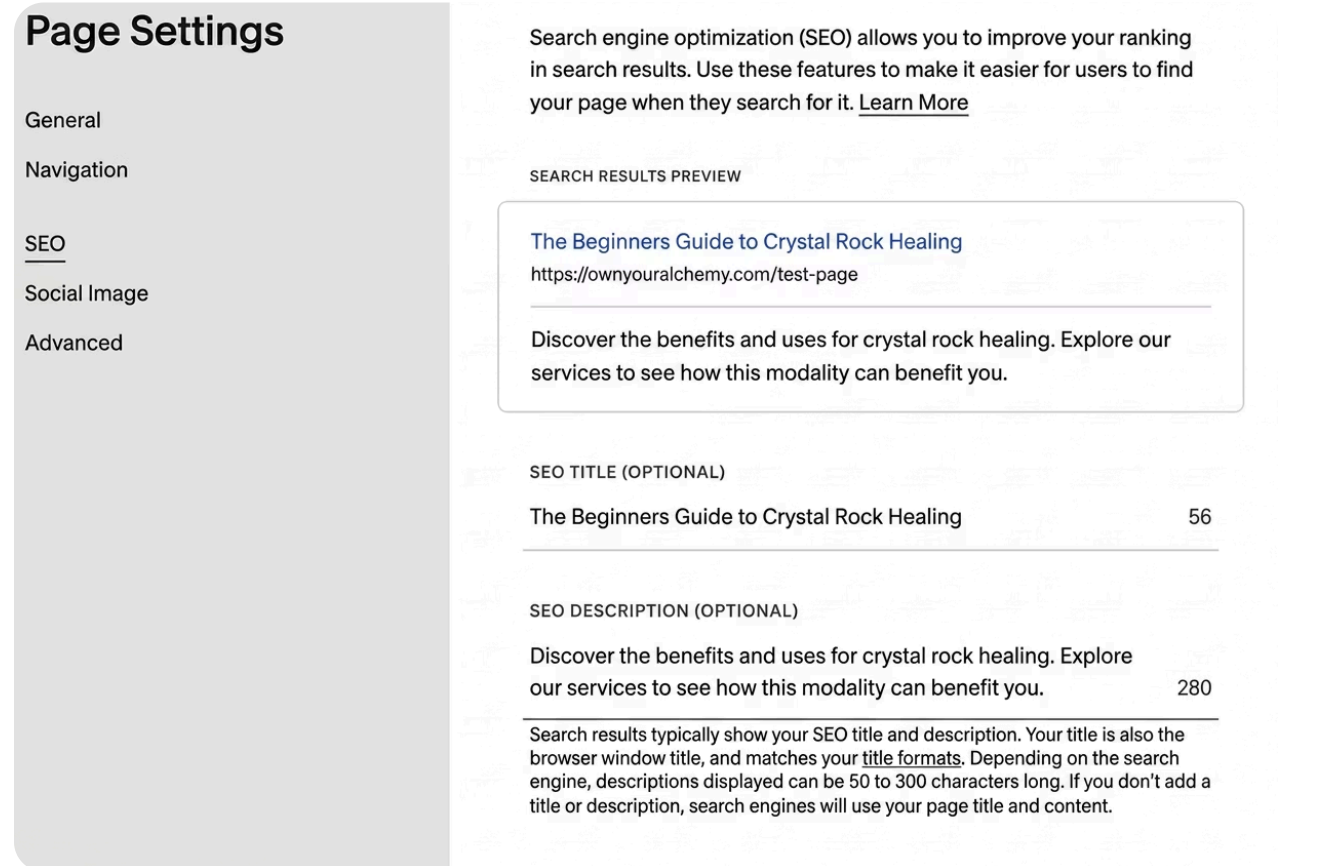
The last place your keyword should appear is in your SEO Title and Meta Description. This is how your page will appear in Google Search Results.
Mistake 5: Forgetting Internal Links
Every page on your site is an island until you link it to something else. Without internal links, Google has a harder time understanding how your pages relate to each other, and visitors have no reason to explore past the page they landed on.
A blog post with nowhere to go is a dead end for your reader and for your ranking. It's also a missed opportunity. Every piece of content is a chance to point someone toward the next logical step, whether that's another post, a Service Page, (see what I just did there) …or an offer.
Internal links also tell Google which pages on your site actually matter. A page with several other pages linking to it signals importance. A page sitting with zero internal links, no matter how good the content is, tends to get treated as an afterthought.
THE FIX: Every time you publish, link to at least one relevant page already on your site.
Every time you update an older page, link forward to your newest content.
The Best Part? You Don’t Have to Guess Your Way Through this
These are some of the most common SEO mistakes small business owners make, but the good news is that most of them are fixable without rebuilding your entire website.
Most of the time, the page you already built just needs a few targeted adjustments.
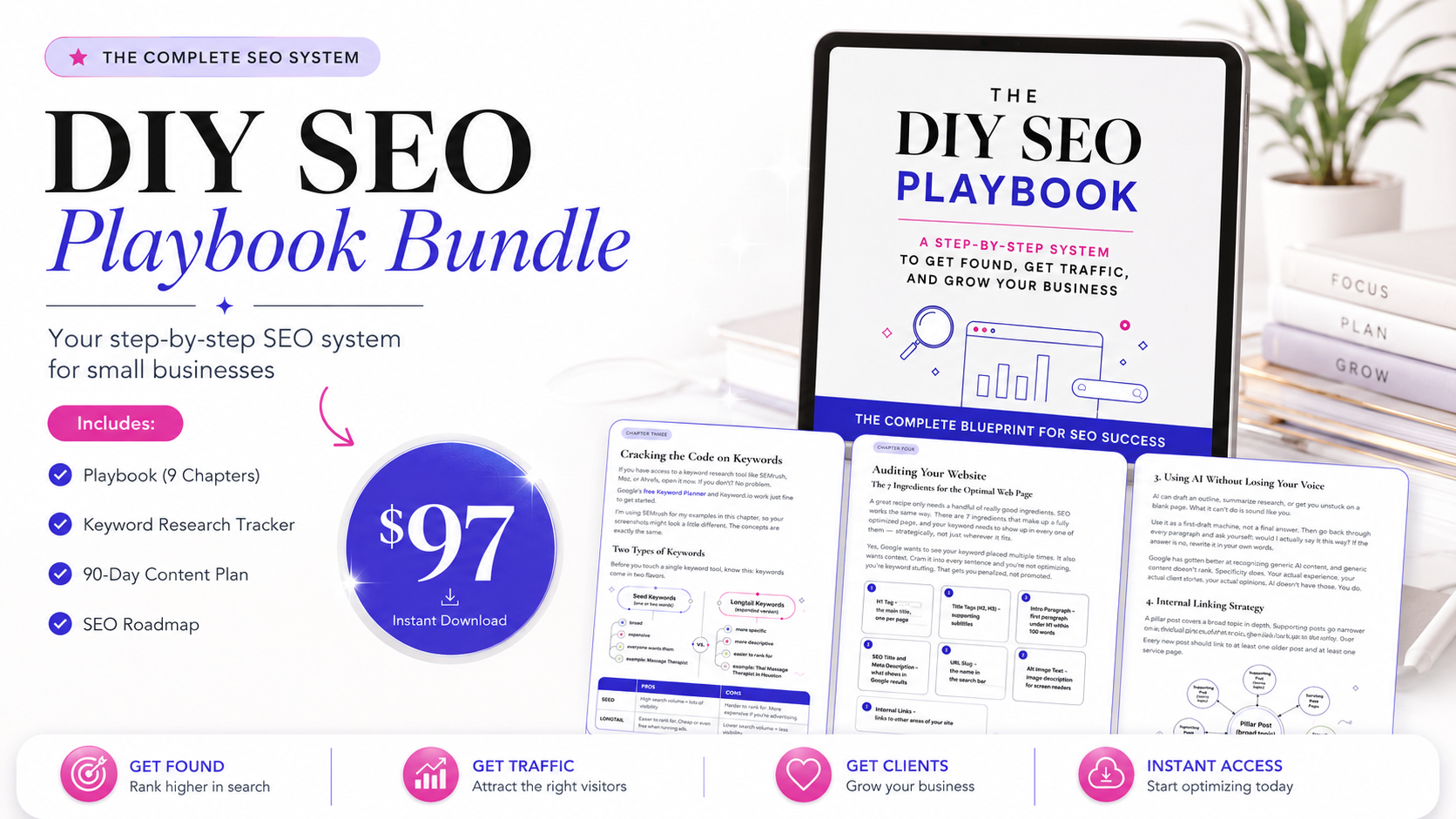
If you'd rather learn the full system, keyword research, on-page structure, indexing, the works, at your own pace, my DIY SEO Playbook for Small Businesses walks you through exactly how to build it yourself.
If you'd rather hand it off completely, no homework, no guesswork, just a foundation that works, that's what my SEO services are for.
You've built something real. It's time for your business to catch up.